A board on the wall.
The app in your pocket.
The board is a tablet you already own, or a new one, with a calm overview for everyone at home. The app is for whoever plans: appointments, tasks, modules and the board’s layout.
01The board
Everything on one screen. Nothing extra.
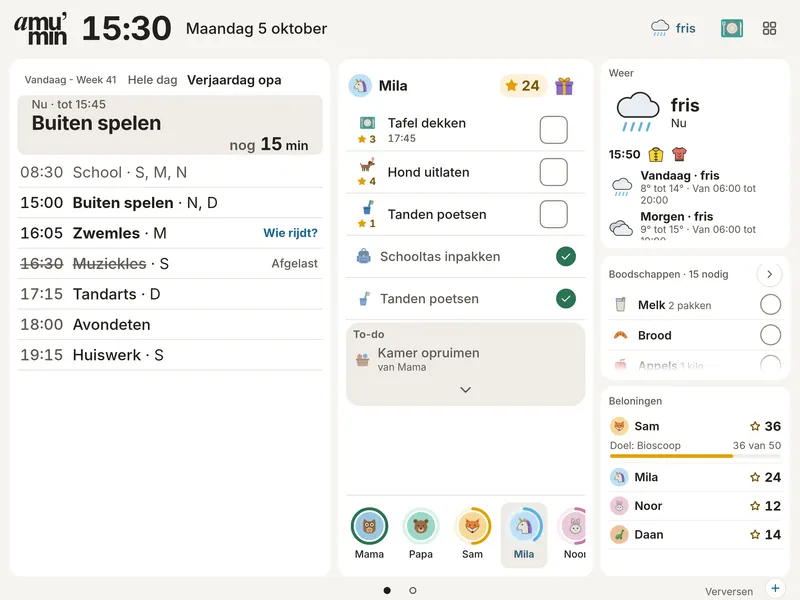
This is Grid, the default: only type in three columns, with no icon on every line. What does not fit counts as “+3 more”, never cut off.
- The time, date and week, large enough for the sofa.
- The weather in one sentence, with what to wear. A tap opens the weather page.
- More: meals, and making something new with a parent PIN.
- What is on now, and for how long.
- A ride without a driver is in the accent, the only colour.
- What is still open per person; a tap opens the tasks.
- What is for dinner tonight.
- The shopping, and how many more items.
- Tomorrow already in view.
- Next pages: the week and People.

02People
Who is where?
A page of its own: one column for each family member, with what is on now, the appointments, who drops off and how many tasks are still open. What everyone does together appears once at the bottom. Works in every theme.

03Themes
Choose how the board looks.
Per board and per screen; light by day and dark in the evening, or fixed. Classic is still available too. When nobody is looking, the board becomes One thing, or your own photo frame.
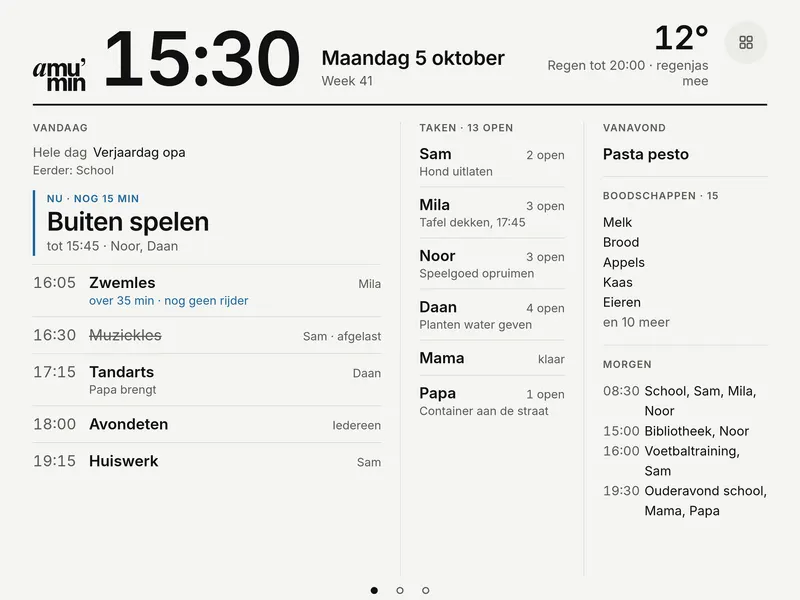
Grid (default)
Only type, three columns.
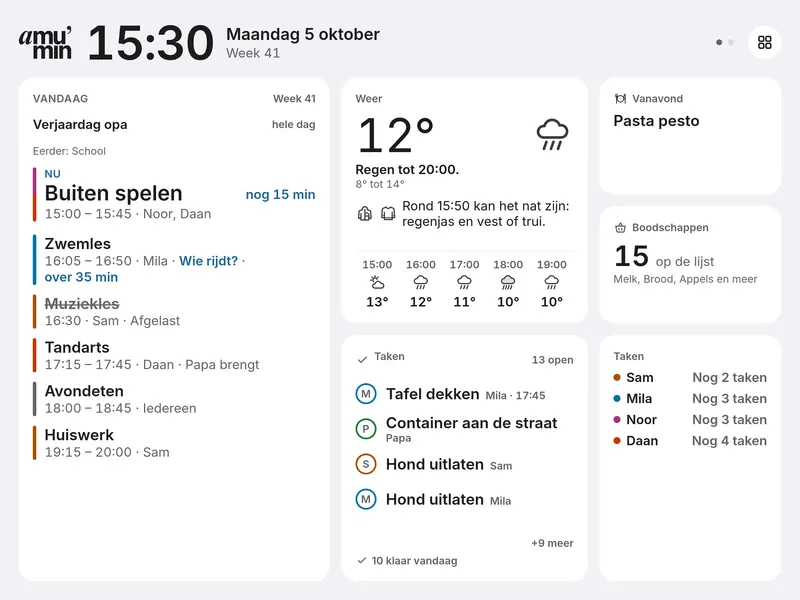
Widgets
Separate tiles, like on an iPad.
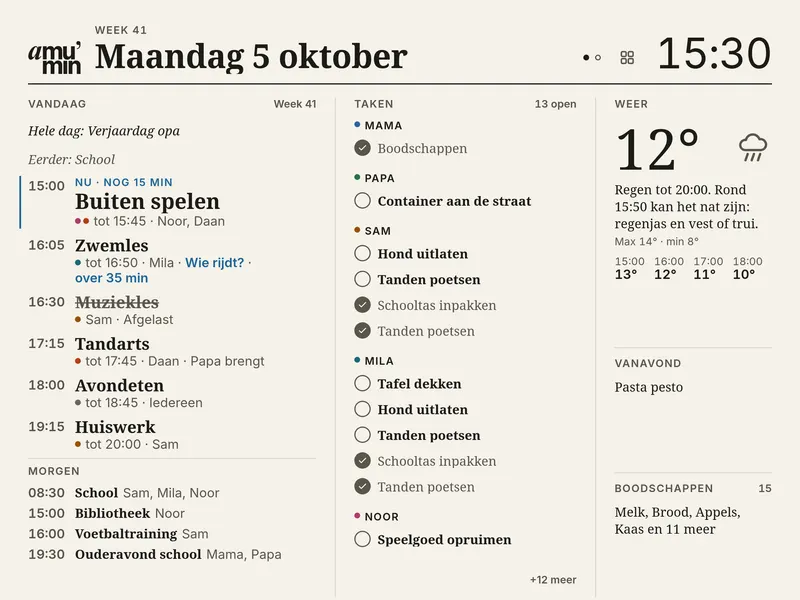
Paper
Like a newspaper, with hairlines.
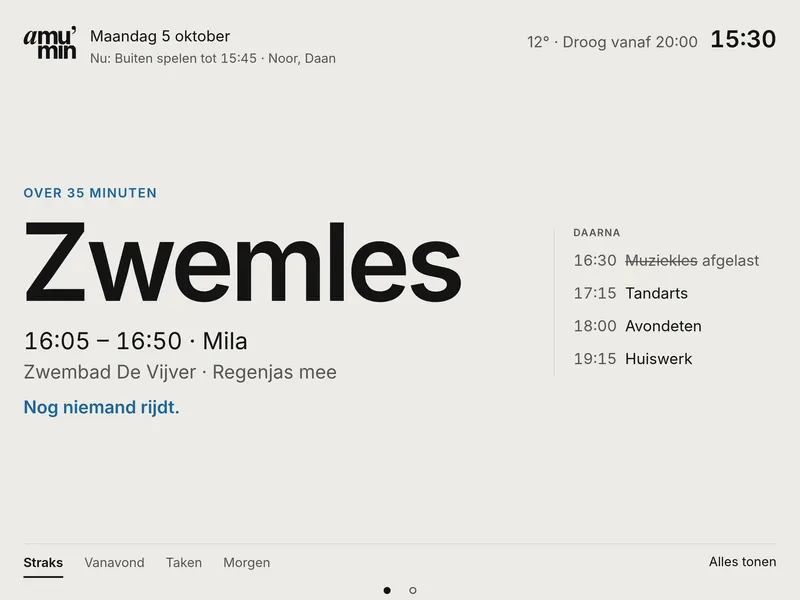
One thing
What is next, very large.
Children
Playful: colour, animals and stars.


04Widgets
Put on it what you need.
The board has more than 30 widgets, from Groceries and Cleaning to Wishes, a Photo and the Timer. Each in a few sizes, on up to 12 screens, with its own theme per screen.
All widgets
05The app
Planning happens in the app.
Today is a grid like the board, arranged your way. What you change shows on the board straight away. My space is yours alone: private to-dos, Money and Healthy weight are seen by nobody else, not even the board.
Connect your own calendars

See how it fits your home?
Join the waitlist. We set it up together, with the tablet you already have.
Prefer e-mail? Email us to sign up (opens your e-mail program). You are not subscribing.