Test phase · join for free
A calmer home, all in one place.
One quiet board on the wall and an app on your phone. Calendar, chores, shopping and meals for the whole home, so everyone knows what today holds.
This sends us an e-mail. We use no cookies and don’t track you. Your e-mail reaches us; see the privacy statement. You don’t need to tell us anything about faith or health.
Screens shown in Dutch; the app speaks six languages.


Sound familiar?
 Who’s picking Lotte up from swimming?
 What’s for dinner?
 Was the dentist Tuesday or Wednesday?
Every home asks the same questions again and again. AMUMIN puts the answers in one place, so you don’t have to keep giving them.
How it works
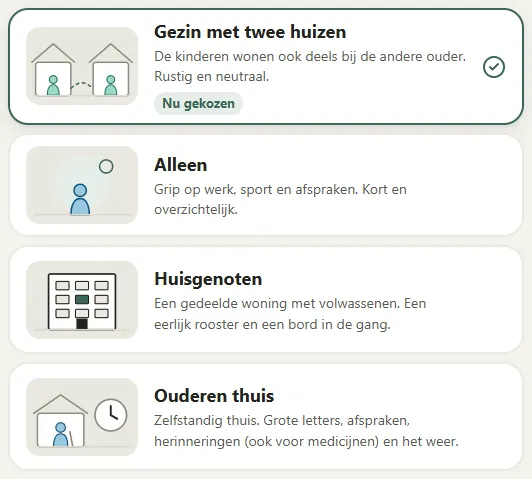
Choose who lives there.
Family, two homes, student house or older people at home: choose once, and the app switches on only what fits. You can change it any time, and nothing is deleted.
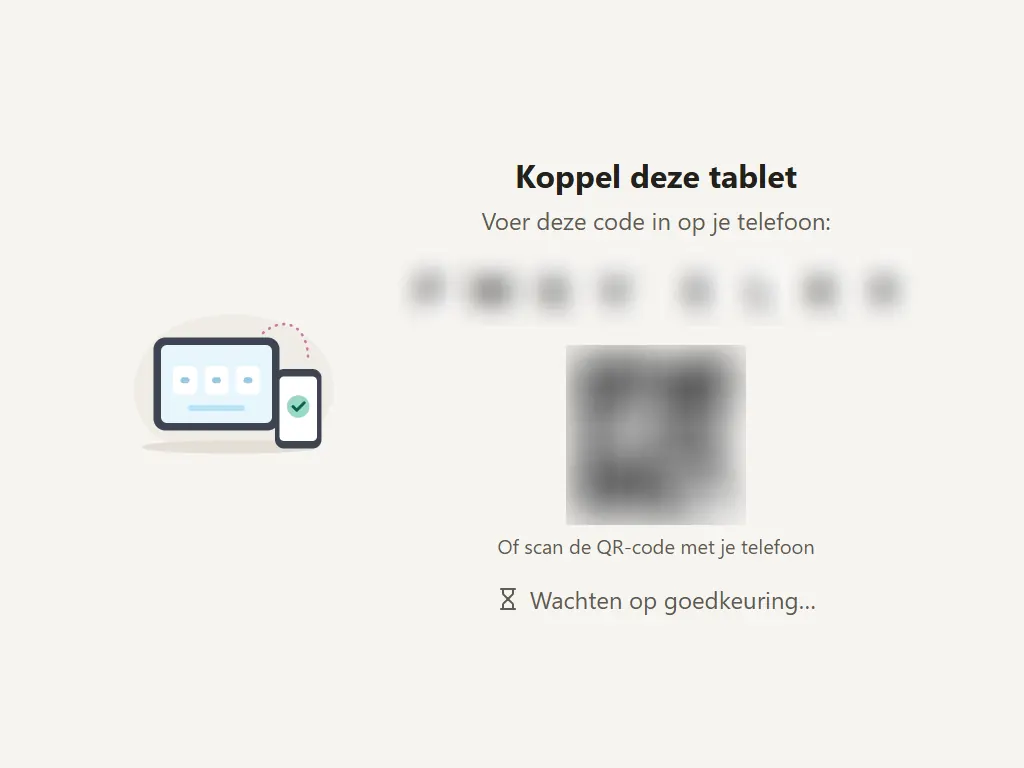
Turn a tablet into the board.
A tablet you already own becomes the board on the wall. Pair it with a code or a QR code on your phone; it takes a minute.
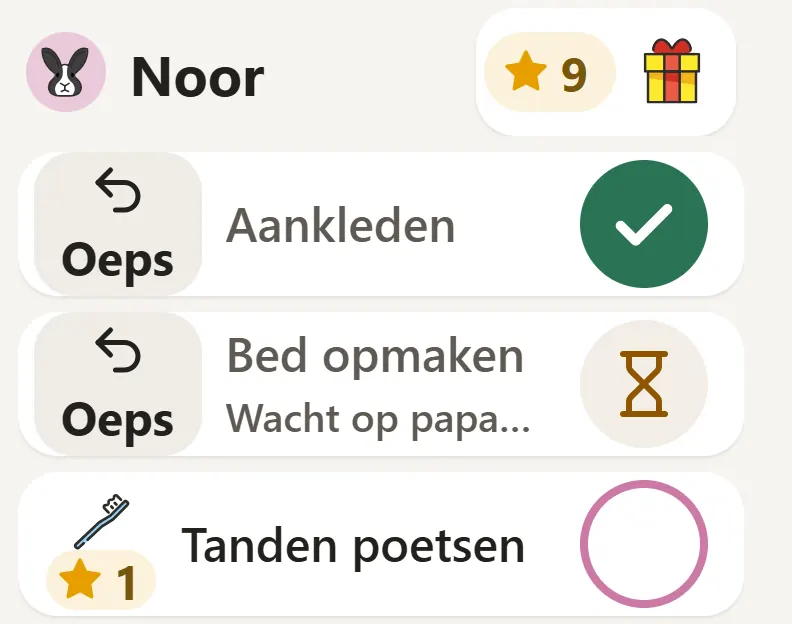
Everyone joins in.
Children tick off their chores on the board, with big pictures. Adults plan on their phones. Everything stays in sync.


For every home
Not just for families. Choose what fits; the app adapts.
Family with children
Calendar, chores with stars, drop-offs and pick-ups.Family with two homes
The children also live with the other parent. Calm and neutral.Couple or single
A shared calendar, shopping and to-dos. Or just for you: short and clear.Students and housemates
A fair cleaning rota, shopping and a board in the hallway.Cohousing
Private homes with a shared space, and one calendar for the common room.Older people at home
Large text, appointments and reminders, including medication. Family can follow from a distance, if you want them to.
Switch on what you need
AMUMIN is made of modules. Switch on what fits your home. Switch off a module and everything is kept until you switch it back on.
Planning
- CalendarDay, work week, week and month, for everyone or per person.
- Drop-offs and pick-upsWho drops off and who picks up, with “Can’t make it? Someone else”.
- RemindersA nudge on the board before an appointment, with a packing list.
- Birthdays and holidaysBirthdays, school holidays and the special days you choose.
- Calendar feedsYour appointments in Google Calendar, Outlook or on the iPhone too.
- School and sports calendarsDutch school and sports calendars (Parro, Magister, voetbal.nl) appear in your calendar by themselves, updated every half hour.

Doing things together
- ChoresPer person, per day, with pictures.
- Points and rewardsSave stars towards a goal, and a parent approves.
- Chore rotaKitchen, bathroom, bins and washing-up rotate fairly, with swaps.
- Rooms and cleaningWho cleaned what, and whose turn it is next.

Food
- Shopping listOne list; on the board you tick things off or add them.
- Recipes and week menuPick a meal per day and put everything on the list at once.
- PantryWhat you still have at home.

Keeping in touch
- MessagesShort messages and voice messages between the board, phones and family.
- Wish listsWish lists you can share with family too.
- NotificationsA nudge on your phone, discreet by default. Everyone chooses what they get.
Outdoors
- Weather advice“Rain at 8:15: raincoat and boots.” Right on time, on the board.

Children
Parents only, never on the board.
- Growth and schoolHeight and weight, school reports and the secondary-school recommendation. Only with your consent.
Faith
Only on if you choose it.
- Prayer timesUsing your own choice of method and mosque calendar, including the Diyanet calendar, with a gentle adhan on the board if you want it.
- Surah memorisationChildren learn surahs by heart; a parent listens and approves.

Coming soon
- Who’s eating in coming soon
- Cost sharing coming soon
- Booking shared spaces coming soon
- Daily check-in and family circle for older people coming soon
A board you can read at a glance
It hangs where everyone walks past: in the kitchen or the hallway. At the top: what’s on now and what’s next. Big text and pictures, so even children who can’t read yet understand it.
- Goes dark and quiet in the evening.
- Runs in the browser on a tablet you already own; nothing to install.
- On the board you tick off chores and add shopping; adults do the planning and settings in the app. A lock per child (PIN or picture code) is available too.
- Landscape or portrait, both work.


What we stand for
We build AMUMIN for your home, not for advertisers. These are our promises, and you can check them yourself.
Your data is yours.
Download everything in one file, remove a member, or delete it all. After deletion you have 30 days to change your mind; then it’s gone.
No ads. Ever.
Not even in a free version.
We don’t sell anything on.
No data for advertisers or data brokers. For the weather we send only a rough area, never an address.
No tricks.
No surprise rewards, no streaks you’re afraid to break, no notifications to lure you back. Stars are earned for something you did, and a parent approves.
Fair pricing.
We want you to pay only for what you use. No interest, no buy-now-pay-later, no small print.
Home first.
The board helps you through the day, then leaves you alone.
Faith is a choice.
Prayer times and other faith features are only on if you choose them. If you don’t, you won’t see them.

In your own language
AMUMIN speaks six languages. Everyone at home picks their own language, and a board in a bedroom can use a different one from the board in the hallway.
- Nederlands
- English
- Türkçe
- العربية
- Deutsch
- Français

What does it cost?
During the test phase AMUMIN is free, and you don’t enter any payment details. After that we want you to pay per module, only for what you use, monthly (cancel any month) or yearly. This is a proposal; test households help shape it. No interest and no buy-now-pay-later. Test households hear the prices first, well before anything changes, and nothing is charged without your “yes”.
Questions
Do I need a new tablet?
No. A tablet you already own, including an older iPad or Android tablet, can become the board. There’s nothing to install.
Does it work without a tablet?
Yes. The app works on your phone and computer. The board is a nice extra.
What does it cost?
Nothing during the test phase. After that we want you to pay per module; that is still a proposal, and test households help shape it. You’ll hear the prices well in advance.
Who can see our data?
Only your household, and people you invite yourselves, such as grandparents. We don’t look. If you ask us for help, we only look with your permission.
Where is our data stored?
With AMUMIN B.V., on our own server in the Netherlands. Sometimes another service is needed, for example for the weather, finding a place or a notification on your phone. Then we send as little as possible, and never who you are.
Is it for people without faith too?
Yes. Faith features are only on if you choose them. Without that choice you won’t see any of it.
Can children use it themselves?
Yes, on the board: big pictures, little reading. Children don’t need their own account or e-mail address.
We have two homes. Does that work?
Yes. Choose “Family with two homes”: a shared calendar, drop-offs and pick-ups and chores, in neutral words. A board in both homes works too.
Can I stop?
Any time. Download everything first if you like, then delete your household.
Where do I log in?
Only at amumin.app. That is where the app itself lives, on your phone and computer. The board on the wall opens at board.amumin.app. This website (app.amumin.com) is for information only: you never log in here and we never ask for your password here.
Why a test phase?
We want AMUMIN to work well in real homes before we sell it. Your experience makes it better.
How do I sign up?
The “Sign up to test” button sends us an e-mail. We reply within a few working days. Not everyone can join straight away; we’ll tell you honestly.
Take part in the test
We’re looking for households willing to use AMUMIN for a few weeks and tell us honestly what could be better. Joining is free. Send us an e-mail and we’ll get in touch.
This sends us an e-mail. We use no cookies and don’t track you. Your e-mail reaches us; see the privacy statement. You don’t need to tell us anything about faith or health.
A question first? E-mail info@amumin.com.